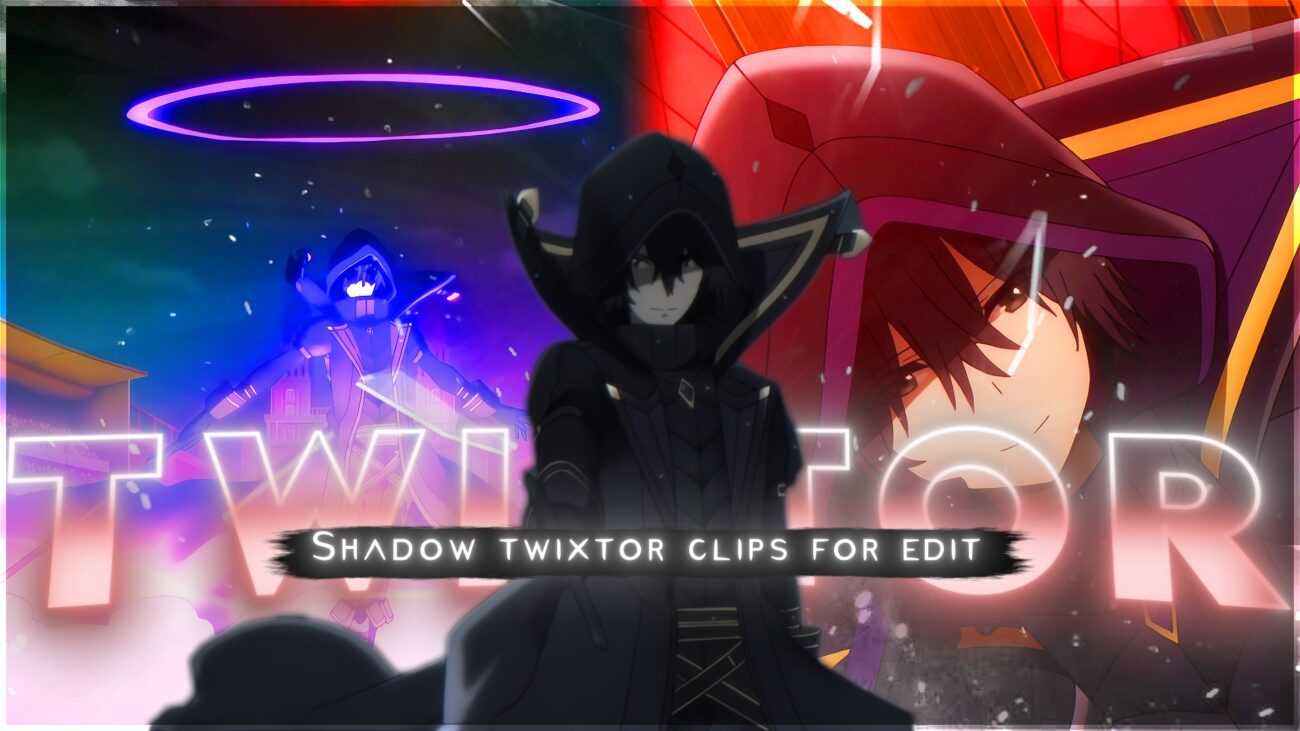
If you are looking for the perfect anime clip to build your next viral edit around, Shadow from The Eminence in Shadow is one of the strongest choices available right now. His dark aesthetic, dramatic combat style, and cinematic fight sequences make him a go-to character for editors across TikTok, YouTube Shorts, and Instagram Reels.
This post gives you everything you need in one place. You will get a full breakdown of the clip, a frame-by-frame timeline, editing tips, and context about the character himself. In addition, each section is written to help you understand why this clip works — not just what it contains.
Whether you are new to anime edits or an experienced AMV creator, this guide is worth reading before you start your project.
Who Is Shadow (Cid Kagenou)? A Quick Character Overview for Editors
Shadow, whose real name is Cid Kagenou, is the main character of The Eminence in Shadow. He is a young man who, after dying in his previous life, is reincarnated into a fantasy world. However, unlike most isekai protagonists, his goal is not to become a hero. Instead, he wants to become a mysterious background figure — the kind of person who pulls strings from the shadows without anyone knowing.
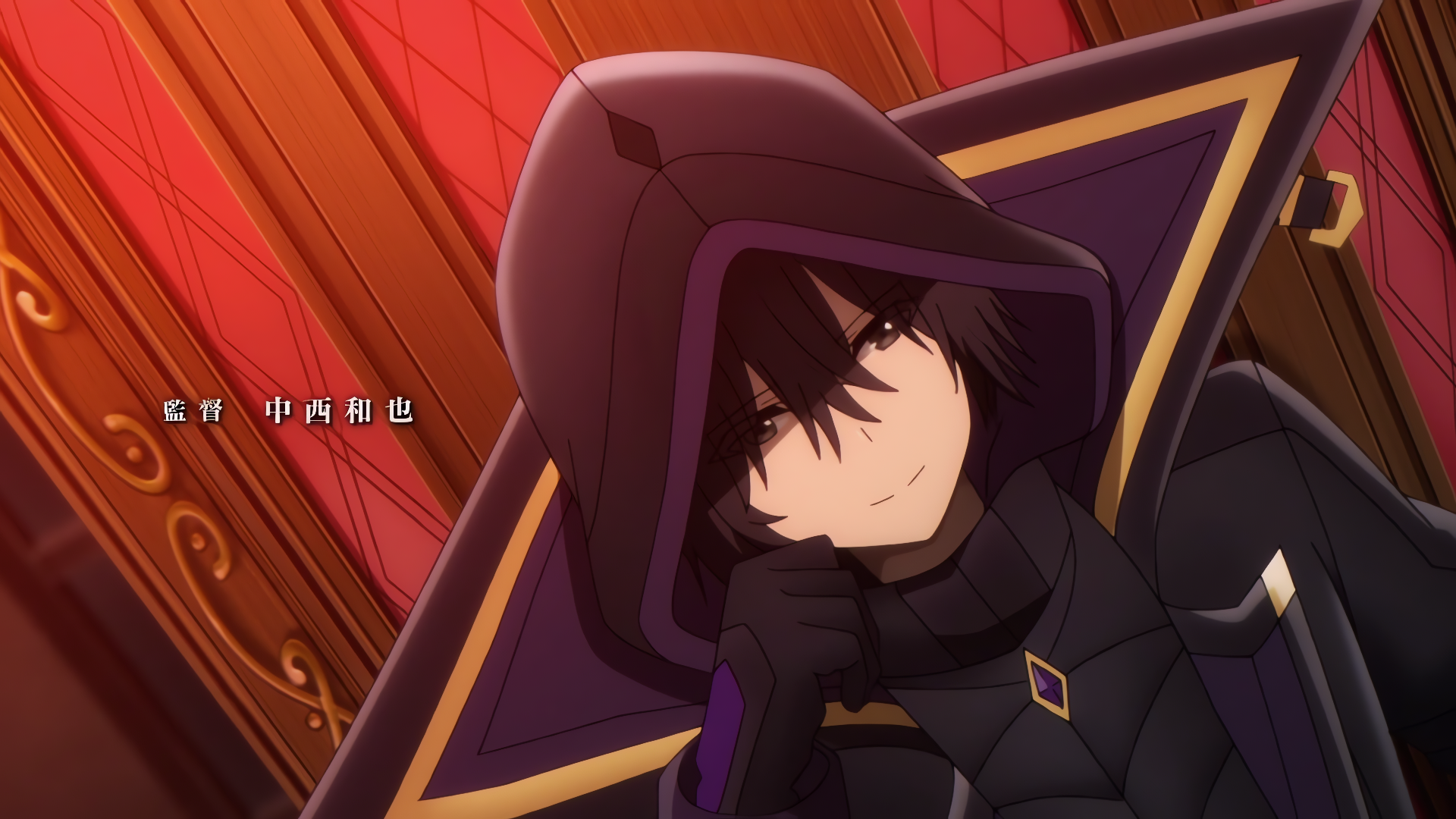
What makes him so popular online is the contrast between his true power and his calm personality. He is overwhelmingly strong, yet he speaks and moves with total composure. That contrast is exactly what makes his scenes so effective in slow-motion edits. Furthermore, his visual design — dark outfit, silver hair, glowing eyes — looks stunning in high resolution.
As a result, Shadow has become one of the most-clipped anime characters in the editing community. His name appears frequently in search trends across YouTube, TikTok, and Amino, particularly in 2024 and 2025 following Season 2 of the anime.
Understanding the Scene — What Is Actually Happening in This Clip
Before you edit a scene, it helps to understand its context. This clip captures one of Shadow’s signature moments — a sequence where he enters combat with effortless confidence and overwhelming precision.
The scene opens with Shadow standing completely still against a dark background. There is no music in the source clip, no subtitles, and no distracting overlays. This is important for editors because it means you have a clean base to work with. Additionally, the camera angles shift between wide establishing shots and tight close-ups, giving you variety across the two-minute runtime.
The animation quality in this scene is notably high. The Eminence in Shadow is produced by Nexus Studio, and their attention to motion detail shows clearly in Shadow’s movement. His cloak physics, aura effects, and sword movements are all rendered with smooth in-between frames, which is exactly what makes a clip Twixtor-friendly.
In short, this is not a random clip pulled from a low-quality stream. It is a carefully selected scene with strong visual elements that respond well to slow-motion interpolation.
🎬 Exact Clip Timeline Breakdown — Frame-by-Frame Guide for Editors
Below is a breakdown of the key moments in this clip. Use this as a reference when deciding where to apply Twixtor, where to place your beat drops, and where to cut or loop. Timestamps are approximate and based on the full 2:32 clip.
0:00 — Establishing Shot (Setup Frame)
Shadow stands completely still. The background is dark. This is a perfect setup frame — use it for an intro card or a slow zoom-in opening.
0:04 — Weight Shift / First Movement Begins
Shadow’s body begins a slight forward lean. The motion is subtle but intentional. This is a strong Twixtor start point because the movement is slow enough to interpolate cleanly without warping.
0:09 — Cloak Physics in Motion
As Shadow moves, his cloak starts to flow behind him. The fabric movement is realistic and frame-consistent. Apply Twixtor here at 20–30% speed for the best slow-motion look.
0:15 — Eye Reveal / Close-Up Shot
The camera cuts to a tight shot of Shadow’s eyes. The expression is calm and focused. This frame is highly popular in Cid Kagenou edit clips and works well with a dramatic music sync or bass-drop moment.
0:22 — Aura Activation (Energy Buildup)
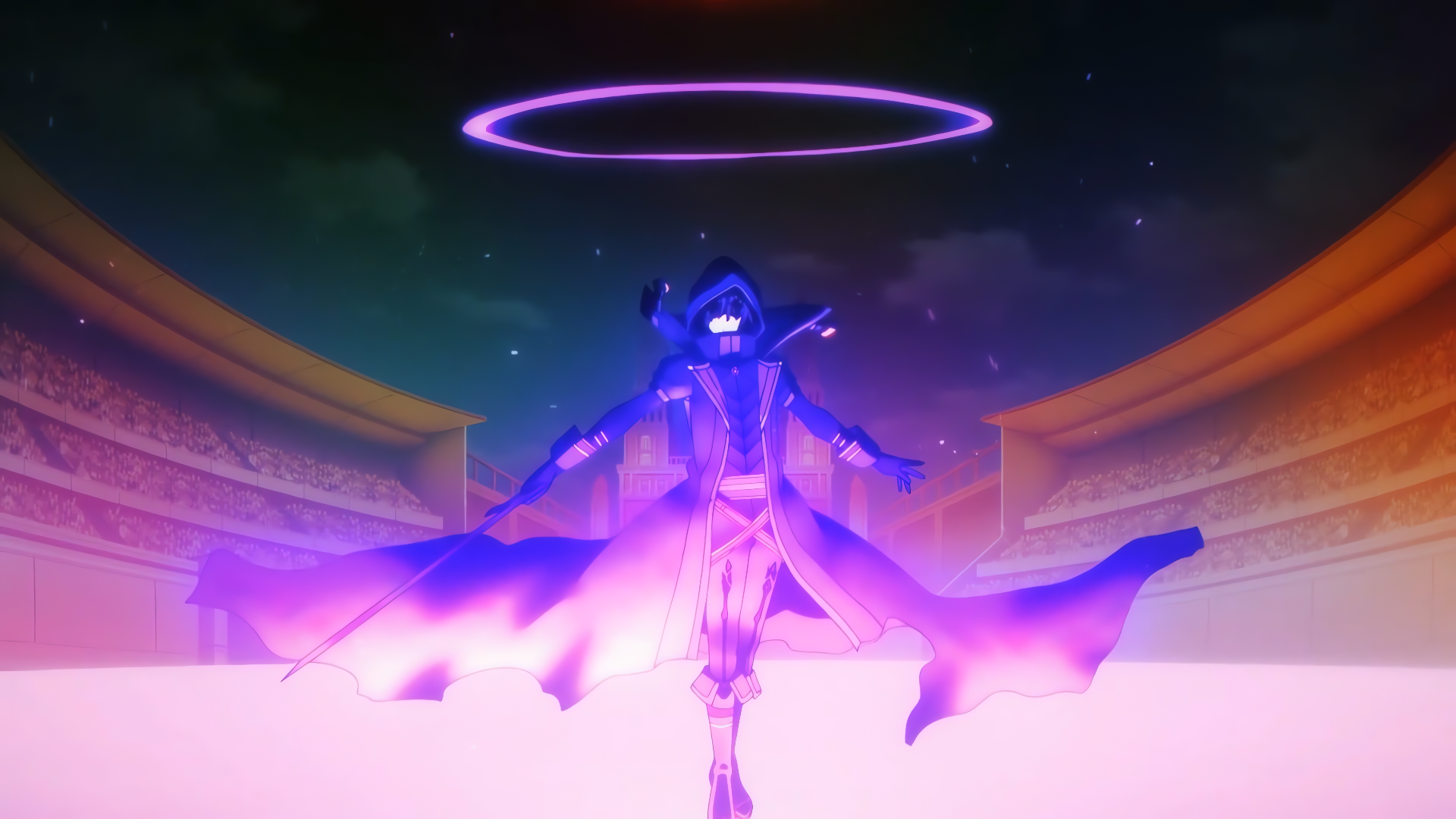
Dark energy begins to surround Shadow. The contrast between the aura glow and the dark background creates a strong visual. Consequently, this is one of the best frames for adding glow overlays or color grading effects.
0:30 — Sword Draw (Velocity Entry Point)
Shadow begins drawing his sword. The motion is slow and deliberate. This is your best velocity curve entry point — start Twixtor here and ramp up gradually.
0:38 — Attack Initiation (Primary Velocity Point)
The movement speed increases sharply as Shadow initiates his attack. This is the most dynamic frame section in the clip. Therefore, it works perfectly as the centerpiece of your edit — especially when synced with a phonk or trap beat drop.
0:45 — Impact Frame (Best for Beat Drop)
The attack connects. There is a brief flash of light and energy dispersion. This is the ideal beat-drop frame. Most editors who create viral Shadow edits sync this exact moment to the heaviest hit in their chosen audio track.
0:52 — Afterimage Trail
Shadow’s movement leaves a subtle speed trail. This adds a natural sense of velocity that you can enhance with motion blur or echo effects in After Effects or CapCut.
1:05 — Brief Stillness / Natural Pause
There is a short pause after the initial strike. This is a natural loop point if you want to repeat the sequence. Additionally, it works well as a transition cut into a second clip.
1:20 — Second Movement Sequence
Shadow moves again with similar controlled precision. The second half of the clip mirrors the opening structure but with added intensity. Use this section for a second verse or chorus in your edit.
1:45 — Camera Shake Moment
A slight camera shake adds energy to the frame. You can either enhance this with an earthquake or impact preset, or smooth it out with stabilization — both are valid editing choices depending on your style.
2:10 — Final Pose (Outro / Loop Frame)
Shadow returns to a still pose. The energy settles. This frame is ideal for a loop ending or a clean outro freeze-frame. It also mirrors the opening pose, which makes it useful for symmetrical edits.
Why This Clip Is One of the Best Shadow Scenes for Twixtor Editing
Not every anime scene works well with Twixtor. The plugin uses optical flow to generate new frames between existing ones. However, when the source footage has too much motion blur, overlapping effects, or scene cuts every second, the interpolation breaks down and produces ghosting or warping artifacts.
This Shadow clip avoids most of those problems. The animation is fluid and consistent. There are no hard cuts inside the action sequences, which means the software has enough visual data to work between frames. Furthermore, the lighting is controlled — it is dark and high-contrast, which actually makes aura effects and color grading easier to add in post.
Another reason this clip stands out is its pacing. Shadow’s fight style is deliberately slow and methodical, punctuated by sudden bursts of speed. That rhythm creates a natural structure for velocity edits. You can keep the build-up sections at full speed and then apply Twixtor precisely when the movement accelerates — giving your edit a satisfying fast-to-slow transition.
Finally, the clip runs at 2 minutes and 32 seconds, which is long enough to extract multiple usable segments. Most editors only need 10 to 20 seconds of actual clip footage, so you will have plenty of material to choose from.
The Most Viral-Style Moments in This Scene — What Other Editors Are Using
Certain frames from this clip appear repeatedly in trending Shadow edits across TikTok and YouTube Shorts. Understanding which ones perform well helps you make smarter editing decisions.
The eye reveal at 0:15 is arguably the most reused moment. Shadow’s calm gaze carries a quiet intensity that resonates strongly with anime fans. As a result, editors often zoom into this frame and sync it with a pause in the music before the main drop.
The aura activation at 0:22 is also extremely popular, particularly in edits that use purple or blue color grading. The existing dark tones in the scene make it easy to push the color palette in either direction without the result looking unnatural.
Additionally, the impact frame at 0:45 is a proven beat-drop moment. Searches for “Shadow beat drop edit” and “Cid Kagenou anime edit” consistently appear alongside clips that use exactly this frame. It is short, clean, and hits hard — which is everything a beat-sync moment needs to be.
On the other hand, the final stillness at 2:10 is less commonly used but highly effective for emotional or cinematic edits. Paired with a piano outro or a slowed vocal track, it creates a very different mood compared to high-energy phonk edits — and that contrast can help your video stand out.
Practical Editing Tips for Getting the Best Results from This Clip
Even the best source clip will look poor if the editing approach does not match the material. Here are specific tips based on how this clip is structured.
Choose the right speed range. For this clip, a Twixtor speed between 20% and 35% gives the cleanest results. Going below 20% tends to produce warping on the cloak sections. Therefore, stay in that range unless you are working on a specific artistic effect.
Set your input FPS correctly. The clip is sourced at 23.976 FPS. Always set your Twixtor input frame rate to match the source. Using the wrong value is one of the most common reasons edits look choppy or unnatural.
Use velocity curves instead of constant speed. Constant speed slow-motion is rarely interesting. Instead, use a curve that starts fast, slows down dramatically at the peak moment, then returns to normal speed. Most editors apply this at the 0:38–0:45 section of this clip for the strongest visual impact.
Color grade after applying effects. Apply your Twixtor settings first, then add color grading on top. For Shadow’s dark aesthetic, blue-purple shadows and slightly desaturated midtones tend to work well. Furthermore, adding a subtle grain effect gives the edit a more cinematic feel.
Keep your edit under 60 seconds for short-form content. If you are editing for TikTok or YouTube Shorts, use only the strongest 30 to 45 seconds from this clip. Shorter edits tend to retain viewer attention longer, which improves your chance of going viral.
Watch the Clip — Shadow Twixtor 4K Preview
You can preview the full clip below before downloading. The embedded video gives you a clear sense of the pacing, quality, and scene structure before you decide which segments to use in your edit.[youtube https://www.youtube.com/watch?v=ZqjTo5SMpzA]
The clip is available in both 4K and 1080p MP4 format. Both versions are clean — no watermarks, no subtitles, and no hardcoded overlays. The download links below are verified and go directly to Google Drive and Mega.
Final Thoughts — Is This the Right Clip for Your Next Edit?
Shadow from The Eminence in Shadow continues to be one of the most searched anime characters for editing content in 2025. His visual identity is strong, his scenes are well-animated, and his personality translates naturally into both high-energy and emotional edit styles.
🔹 Clean Anime ffs (No Subtitles) – Flowframes
🔹 Exclusive 4K Raw Scenes (No Subtitles) – Raw Clips
Shadow
Download Shadow Twixtor Clip (4K)
- Resolution: 4K / 1080p
- Format: MP4
- Duration: 02:32
- Size: 75 MB
All download links are verified and safe. No third-party pop-ups or misleading redirects
drive
All download links are verified and safe. No third-party pop-ups or misleading redirects
mega
Final Thoughts
If you’re serious about creating high-quality anime or cinematic edits, choosing the right clip is just as important as your editing skills. This Shadow Twixtor clip is ideal for smooth slow-motion edits, especially when combined with proper settings and timing.